
Over the two plus years we have transformed our businesses over to AppVolumes for publishing applications for VDI deployments. But there are a few things you take for for face value.
Like when you read the VMware docs here that tell you that you are supposed to use the URL https://AppVolServerFQDN/health_check for gathering the health check info. If that health check URL shows any thing other than a 200 OK status something is broke. Well this is where i break open the fact that does not actually work as you were made to believe.
Below is a screenshot of a common issue of a AppVolumes server and a patch cycle where the AppVolume server starts up and has no connectivity because the DB is down. No big deal, restart the AppVolumes service and you are good to go. But you would hope your health monitor would tell you this. As you have your monitoring solution to send alerts when its something other than 200. Well you are wrong, it wont send you anything.
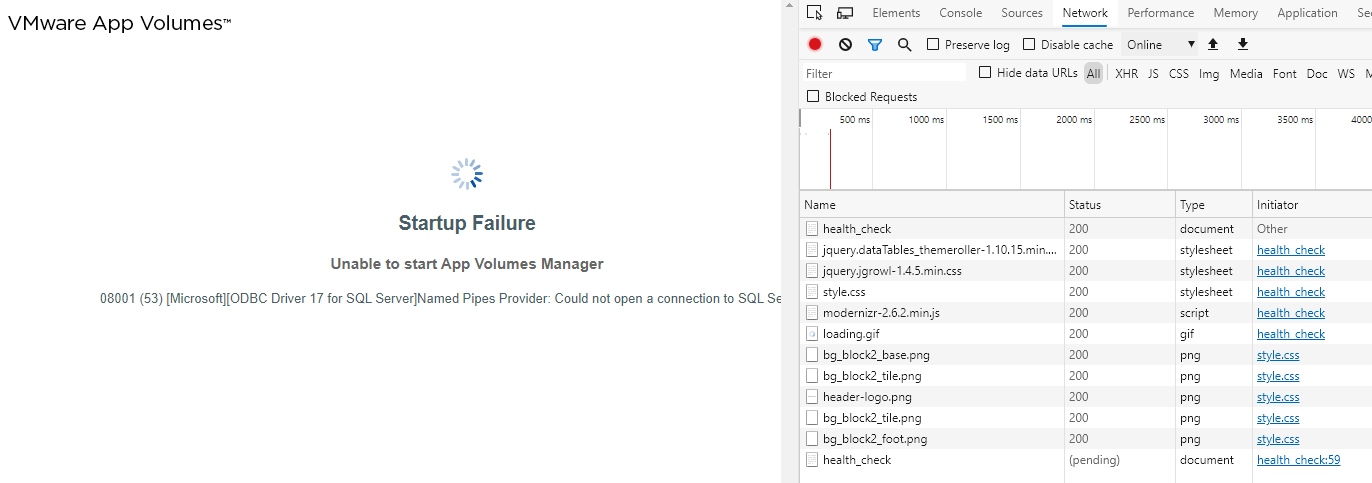
As you see above the Status shows 304. Well according to the HTTP standards, a 304 is labeled as: “304 Not Modified” and “If a 304 response indicates an entity not currently cached, then the cache MUST disregard the response and repeat the request without the conditional.” Also meaning that a 300 status code is not seen as something being broken. Also you see above the AppVolumes server is in deed BROKEN. So pull the same HTTP status code via Powershell and you get this:
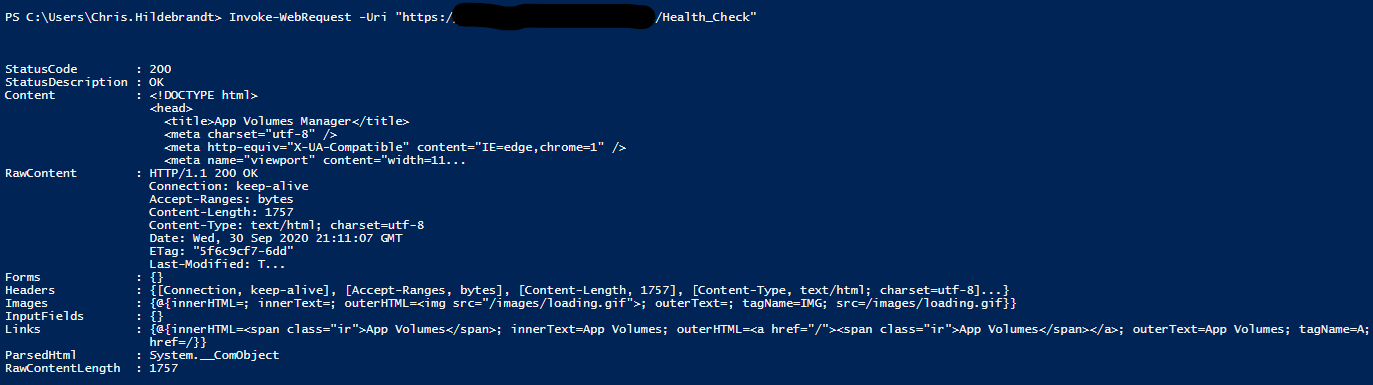
As you see here its returning 200 OK. Hmm. But that is expected due to 300 status codes are pretty much just another 200 code. But again its broken but it says its not.
Below is another example, where in fact the AppVolumes server is really broken, but the Status code still shows 200 OK even though its broke.

And again its showing 200 OK and its no doubt broken. The only difference here is its not to the point where the AppVolume service has loaded the cert so you will get a cert error, but still reports 200 OK. Below the same thing with Powershell used to get the webrequest.

Now I bet you are thinking well just monitor the AppVolume service on the OS. Well yes you should, but will not help in these two cases. The service is in a running state. So does no good.
I have in fact opened a VMware case on this and still waiting on a plan of action, but sure it will be the next build update before its fixed. So in the mean time I have dug through every page to try to figure a way to monitor these services so we can show true up and down status. I have come up with this solution. Monitor for the status code of this URL :
https://AppVolServerFQDN/images
If it reports back 404 then things are good. If it reports anything other than 404, then something is broken. This does not fit all other use cases, as if the service is not started it will respond as a 404. So double edged sword. For me we are still monitoring the same Health_Check URL https://AppVolServerFQDN/health_check but also monitoring this. With the combination of both, you can see if its up and down. Just not with one URL like you hoped.
Best of luck to everyone on monitoring these till we get a full solution. And will update the blog once I receive feedback on the status.


 childebrandt42