
Have you ever wanted to run a report and see how often your pools are being connected to? As you know there is no built-in tool into Horizon, honestly reporting is kind of junk inside horizon. And honestly a lot of extra tools do not offer a usage report where you can actually use the data.
Well today is the day you can do that with no extra tools! You can simply download a PowerShell script, edit a few things to identify some things, and boom you can export all the user data. I wrote this a few years ago, but recently updated it to use Douglas Finke’s ImportExcel PowerShell module.
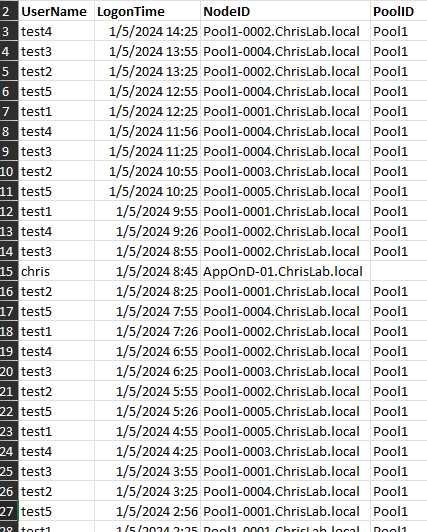
The reports runs in a 3 types, It can run as typical CSV export:

Or it can run as an Excel Export with or without Pivot Table attached.

Conclusion:
Hopefully this can help a few of you out.
Again you can download the script at: Here
If you would like to check out the YouTube go here:


 childebrandt42