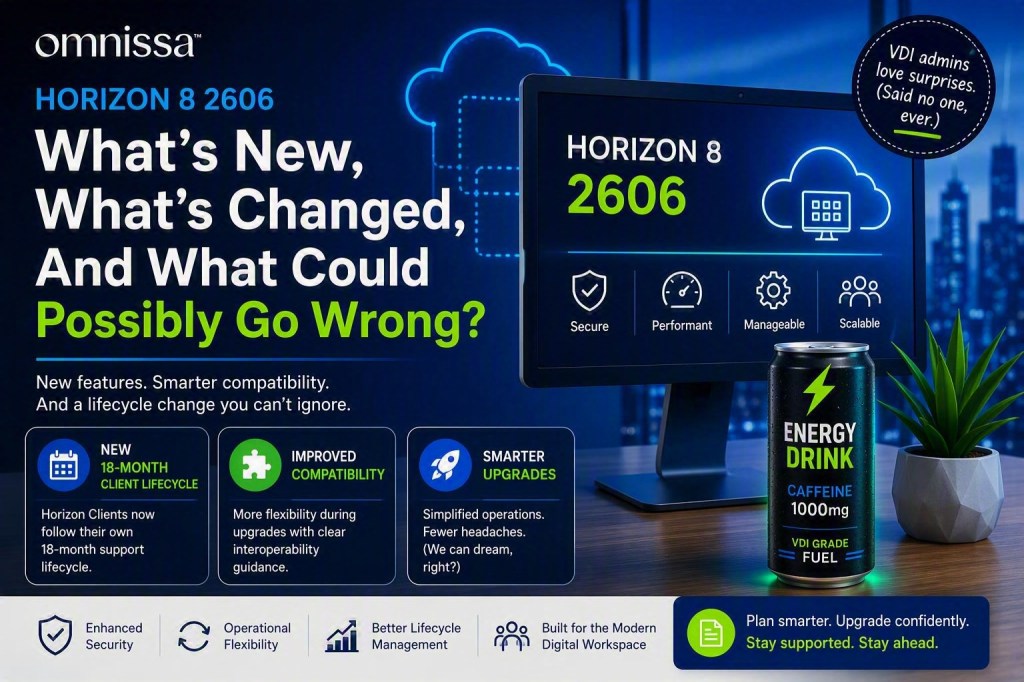
Let’s be honest. Every Horizon upgrade starts with optimism, a fresh cup of coffee or in my case a Ghost Energy Drink maybe the second one, and someone confidently and jitters due to caffeine intake saying, “This should be straightforward.” Three hours later, you’re knee-deep in compatibility charts, release notes, and questioning past decisions that seemed perfectly reasonable at the time.
Fortunately, Omnissa Horizon 8 version 2606 brings several enhancements that make administrators’ lives a little easier and remove some long-standing operational pain points. While no software release can completely eliminate surprise troubleshooting sessions, this one seems intent on reducing their frequency.
What’s New in Horizon 8 2606?
Horizon 8 continues its mission of delivering secure virtual desktops and applications while simplifying management and improving operational flexibility. According to the latest Horizon 8 release documentation, 2606 introduces updates across the platform ecosystem, including management, infrastructure, client experience, and upgrade workflows.
Key Themes in 2606
✅ Simplified operational management
✅ Improved upgrade flexibility
✅ Enhanced component interoperability
✅ Better long-term lifecycle planning
✅ Continued modernization of the Horizon platform
The real headline isn’t necessarily one flashy feature. It’s the ongoing effort to reduce administrative friction. Because if there’s one thing VDI admins love, it’s having fewer reasons to log in at 2:00 AM on a Sunday.
Why the Compatibility Matrix Matters
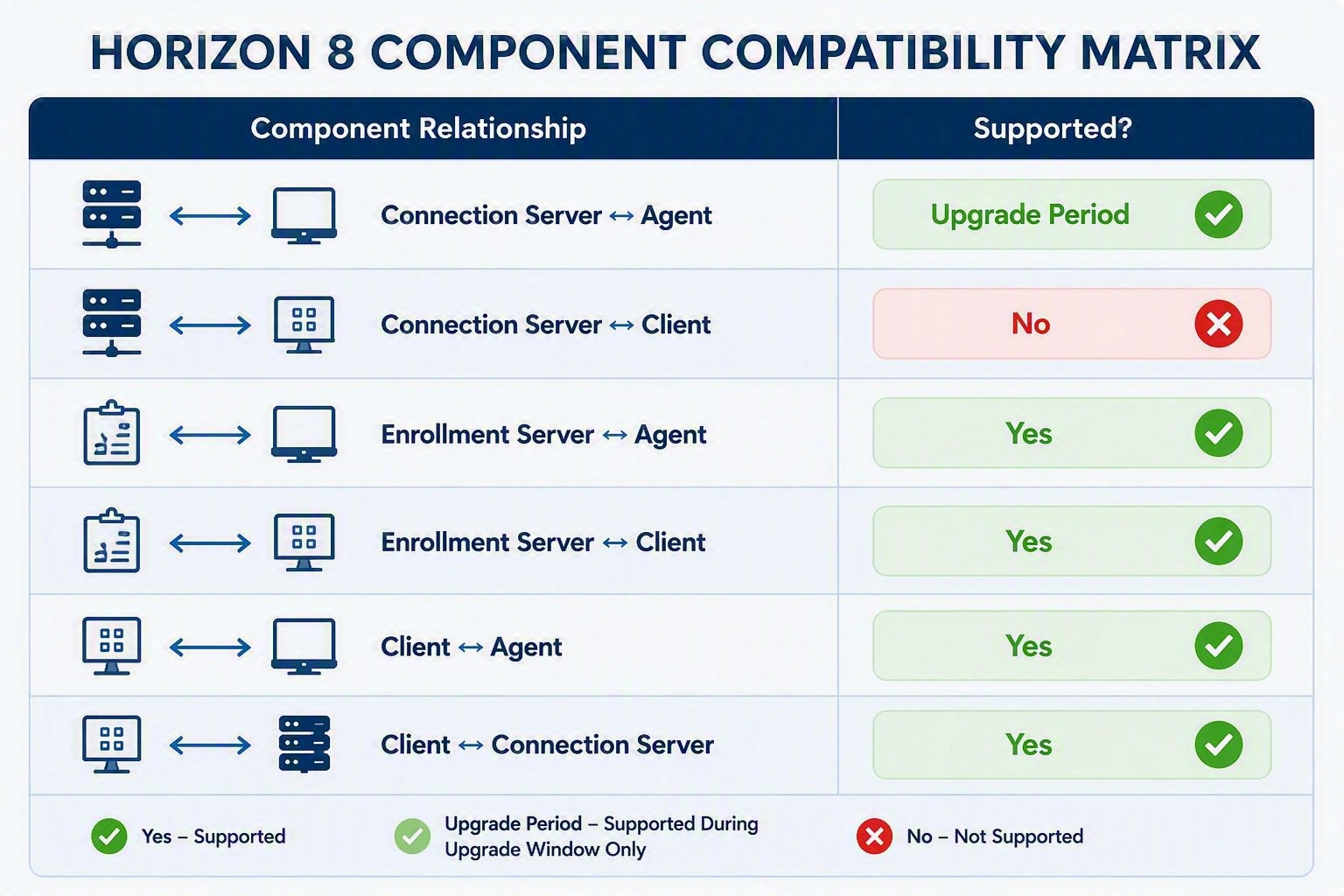
Nobody gets excited about compatibility matrices. Nobody hangs them on the wall. But successful Horizon upgrades typically involve spending quality time with one. Horizon supports phased upgrades and interoperability between key components during upgrade windows, making enterprise upgrades much easier to plan.
Horizon Clients Get Their Own Lifecycle
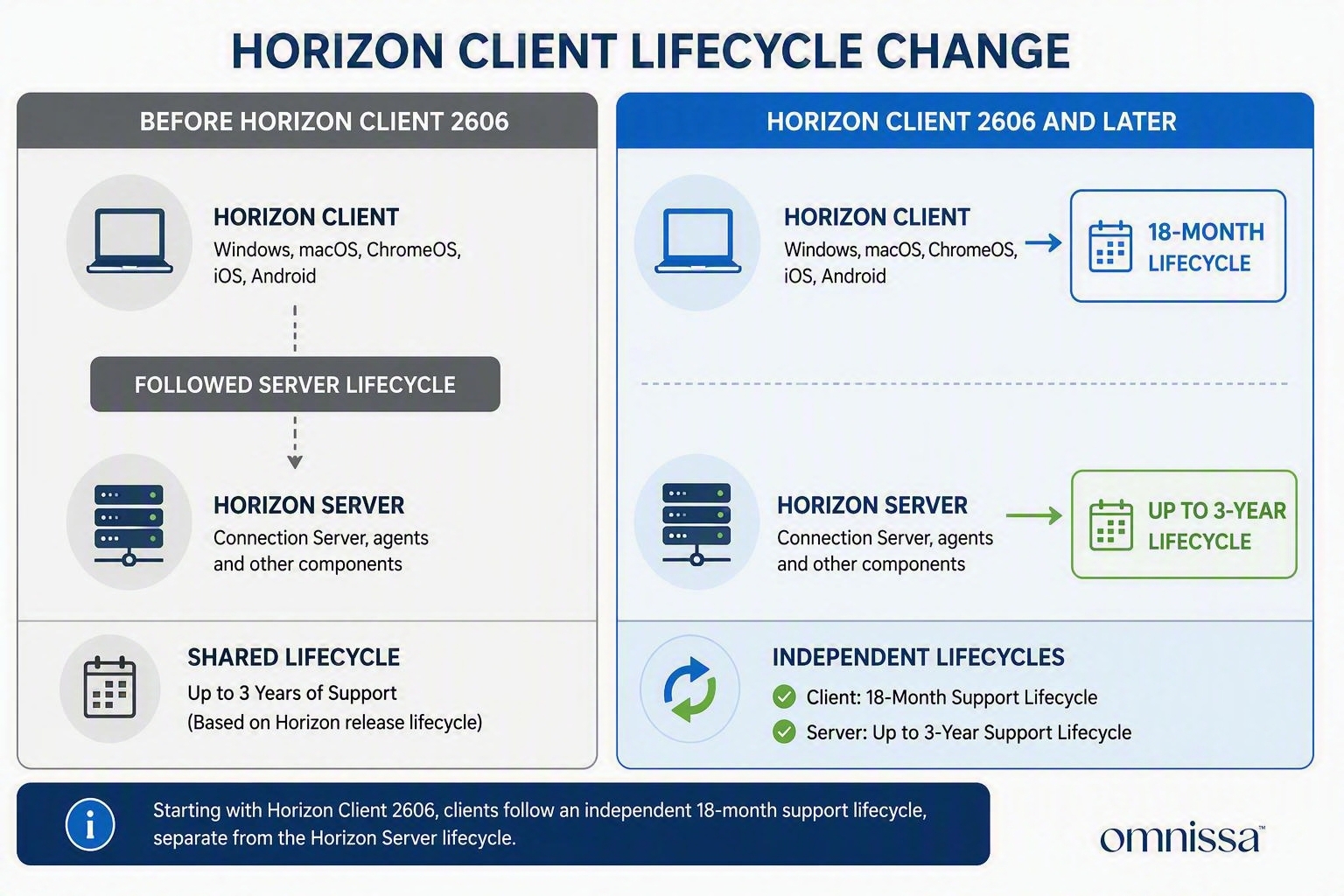
Now Horizon Clients get their own lifecycle! Windows, macOS, ChromeOS, iOS, and Android clients now follow an independent 18-month support lifecycle. Previously, client support generally aligned with the lifecycle of the Horizon Server release that shipped with it. This means Horizon Clients may reach end of support before the Horizon infrastructure they connect to. Administrators should now treat Horizon Clients as a lifecycle-managed endpoint rather than an occasional upgrade task.
Lifecycle Comparison
Before 2606: Horizon Clients followed the Horizon Server lifecycle, typically providing a shared support timeline.
2606 and Later: Horizon Clients have an independent 18‑month lifecycle while Horizon Servers remain supported for up to three years. This increases flexibility but also requires more proactive client lifecycle planning.
Before You Upgrade
1. Review the latest release notes.
2. Validate Connection Server, Agent, and Client compatibility.
3. Review the interoperability matrix.
4. Test upgrades in a non-production environment.
5. Resist the urge to say “it will probably be fine.” History has not always rewarded that strategy.
Reference Links
📘 Official Horizon 8 Release Notes
📗 Horizon 8 Compatibility Matrix
📙 Omnissa Interoperability Matrix
📕 Upgrade Path Matrix
📘 18 Month Lifecycle Policy
Final Thoughts
Horizon 8 2606 may not cause administrators to run through the halls in celebration, but it delivers something arguably more valuable: operational flexibility, clearer lifecycle now if HCS would become more…


